
DLSS 5 Swapper Add-ons and Controls Explained
Identify DLSS 5 Swapper components, understand the separate control panels, and adjust supported effects without mixing consumers or mistaking a preview.
Know which component does what
| Component in v2.2.9 | Role | Important distinction |
|---|---|---|
| ReShade 6.8.0 | Framework for effects and native add-ons | An effect file and a native add-on are different things |
| DLSS5-Feeder 1.17.0 | Supplies inputs for a compatible neural consumer | Loading the effect is not proof that depth and motion data are correct |
| RenoDX DLSS5 6.5.3 | Ordinary native / Feeder neural consumer | Not the Multipass consumer; games set up before v2.2.8 may still carry v4.7 |
| RenoDX DLSS Tool, 2026-09-28 build | Separate Multipass route | Uses its Home panel and Pass Count |
| OptiScaler DLSS-NR 0.2.0-patch1, pre-SR multipass fork 0.8.92 or 0.1.1.5-dlssnr | Separate route with model and input conditions, one build chosen per game | Upstream OptiScaler features do not imply Swapper integration |
| NVIDIA DLSS 310.9.1 | Super Resolution, Ray Reconstruction and Frame Generation runtime | A newer DLSS file already in a game is left in place |
| dgVoodoo2 2.87.5 | Bridge used by documented legacy routes | Has its own license and compatibility limits |
Versions come from the v2.2.8 component table; v2.2.9 changed only dgVoodoo2, from 2.87.4 to 2.87.5.
Inspect the installed route
Open the target game entry and establish which route was installed. Then inspect the relevant in-game panel and logs to identify what actually loaded. Do not load both RenoDX consumers or place a second proxy DLL over an existing loader without understanding the conflict.
For Skyrim with ENB, record the existing ENB and ReShade loader names and versions before installing another route. Do not rename or overwrite proxy DLLs by trial and error. Use a coexistence procedure from the component authors that matches those versions; if none is available, keep the existing setup. A DX9, DX11 or DX12 label alone does not decide which add-on binary or loader your installation requires; executable bitness matters too.
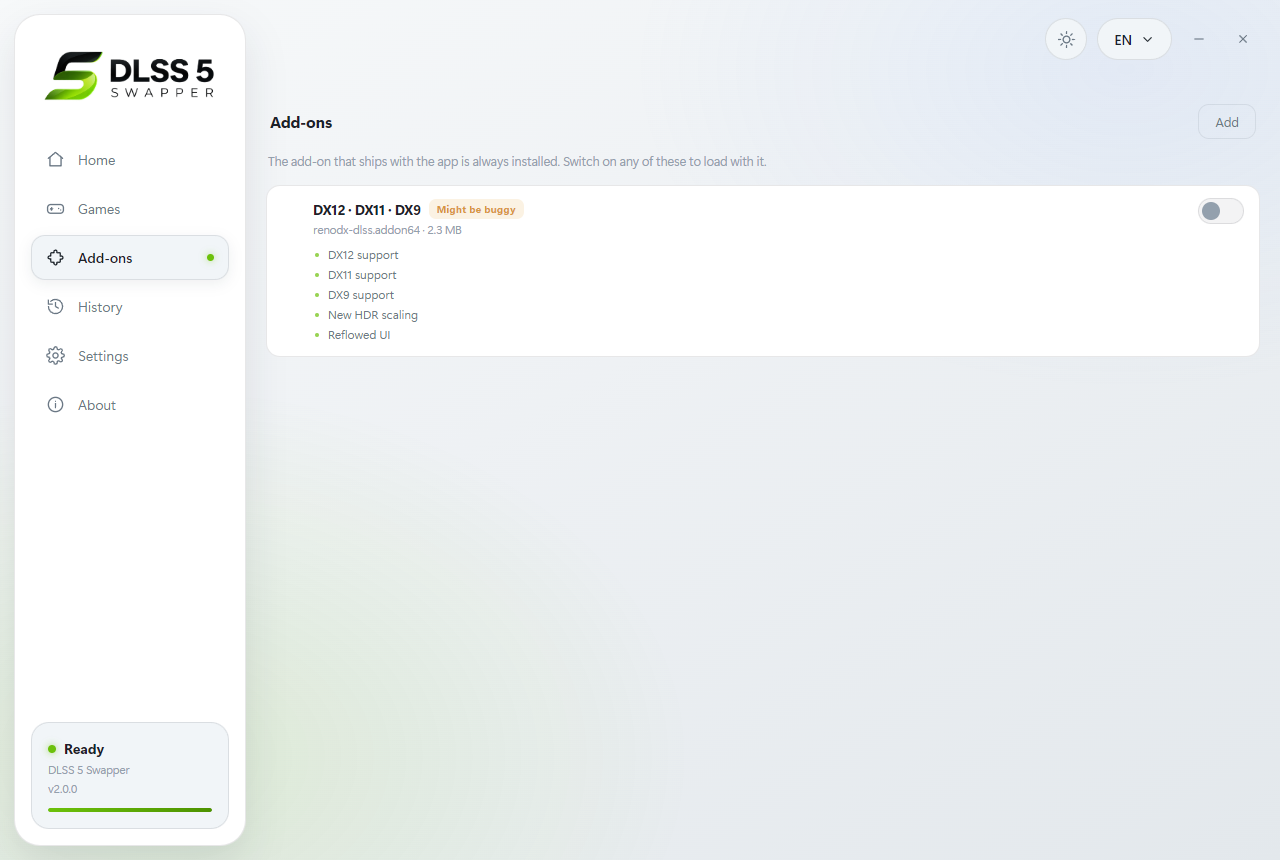
The v2.0.0 Add-ons screen shows where components are managed. Use the v2.2.9 table above for the component versions in this guide.
Use the correct controls
The overlay documentation describes the compact overlay and its connection to supported game configurations. Keep Swapper running and use the configured hotkey, normally F8. Since v2.2.8 the panel recognizes both RenoDX builds the app has shipped, 6.5.3 and the older 4.7. The documented style shortcuts A / B / C select NR Style options; they are not three separately verified NVIDIA models.
For controls such as intensity, tone, or structure, adjust one value at a time in a fixed scene and compare the visible result. A setting readback confirms communication with configuration, not necessarily a successful neural evaluation. Keep the previous value available so you can undo a change that looks worse.
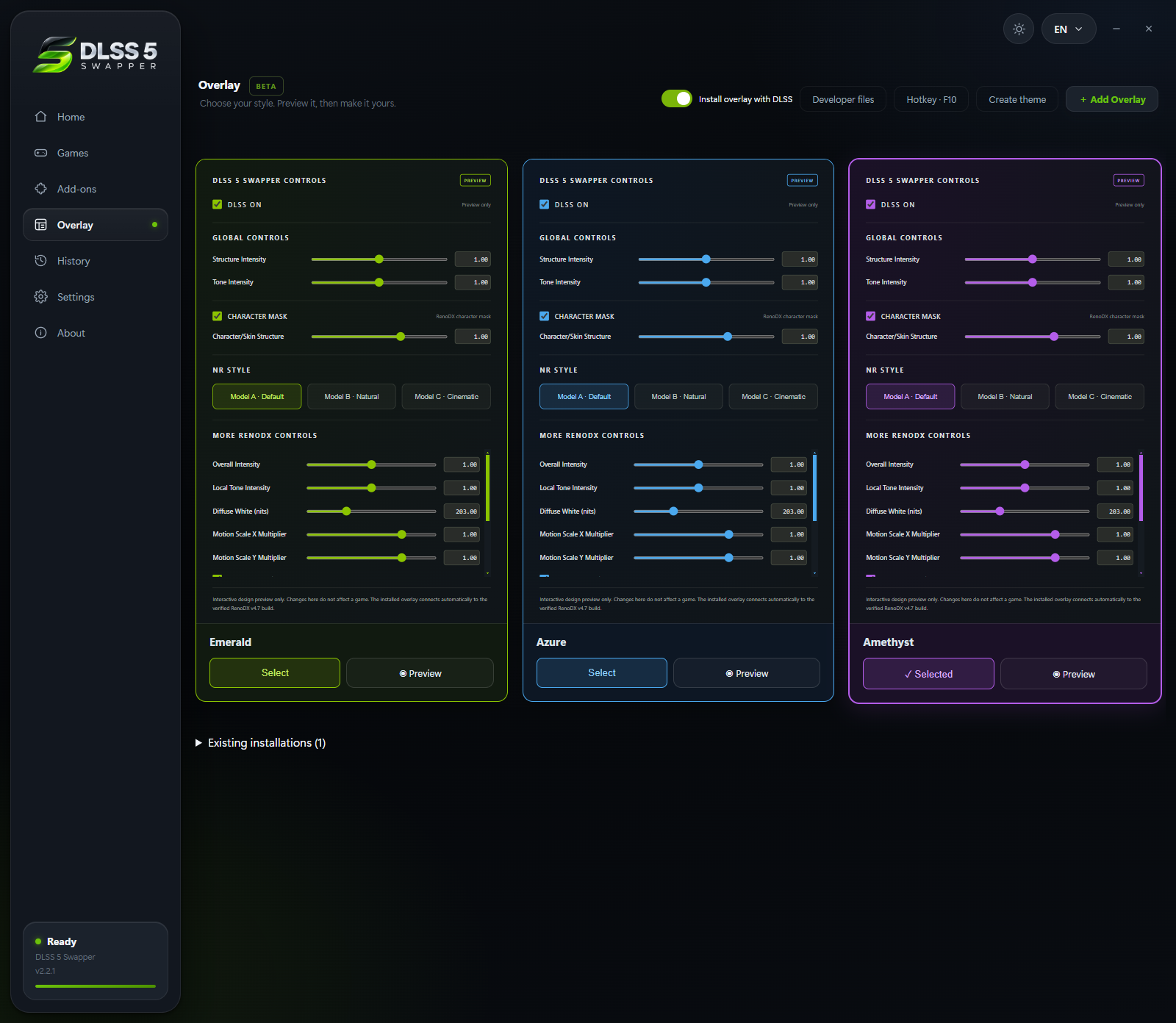
The v2.2.1 screen above shows a custom F10 key; the default is F8. Preview only lets you adjust the panel’s appearance without controlling a connected game.
Save, compare, and recover
After a change, verify that the intended value remains and that the same scene behaves as expected. Keep a record of the previous values so you can reverse a visual adjustment. If the route or consumer must change, close the game and restore before reinstalling.
For supported-route conditions, read compatibility. For Pass Count, read Multipass. Controls that never connect belong in overlay troubleshooting; missing effects or DLLs belong in file diagnostics.
Anzeige
Ähnliche Artikel
DLSS 5 Autopilot Guide: Routes, Setup, Safety and Undo
Grundlagen
DLSS 5 Autopilot picks one of eight routes per game, installs DLSS 5, then reads the logs to tell you whether it ran. One exe, no admin. Setup, safety and undo.
DLSS 5 Manager Guide: Install, Live Flow, Safety and Undo
Grundlagen
DLSS 5 Manager by NODIX-TECH installs DLSS 5, ReShade and OptiScaler per game and adds Live Flow for any borderless window. How to install, use and undo it.
DLSS 5 One Click (DLSS5oneclick): Setup, Routes and Safety
Grundlagen
DLSS5oneclick sets up DLSS 5 in DirectX 11 and 12 games in one click: it picks the setup, writes cheaper settings and refuses anti-cheat games. How to use it.